



What Is the Low Offer Tool?
The Low Offer Tool is a seller-controlled feature that allows you to block offers below a minimum amount you set. This tool helps DVC sellers avoid lowball offers and focus on buyers who are serious about purchasing your contract. By establishing a threshold, you can eliminate unnecessary back-and-forth with buyers who aren't close to your expectations, saving time and energy during the resale process.
Why Use the Low Offer Tool
When selling your DVC membership, you want to maximize your return while connecting with qualified buyers. The resale market can attract a wide range of offers, and not all of them will reflect the value of your contract. The Low Offer Tool helps protect your listing by filtering out non-serious offers.
By setting a minimum acceptable amount, you're creating a clear line that helps both you and potential buyers focus on meaningful negotiations. This doesn't mean you have to accept any offer at your minimum, but it signals where serious discussions can begin.
Working with an experienced broker like DVC Sales means you have the resources to evaluate the right floor for your listing. Our priority is to help you earn the highest return the market will support, and this tool is one method we use to achieve that goal.
How to Set Your Minimum Offer
You can activate or adjust this feature anytime by logging into your seller account. From your Profile page, select "View Details" for your active listing. Under Section 5, you'll see a field where you can enter the lowest amount you're willing to consider.
Once you save this number, the system will automatically block any offers that fall below your threshold. This flexibility allows you to update your minimum offer if market conditions change or if you receive updated guidance from your broker. Maybe you started with a higher floor and realize you need to be more flexible, or perhaps market conditions have improved and you want to raise your minimum.
What Happens to Offers Below Your Minimum
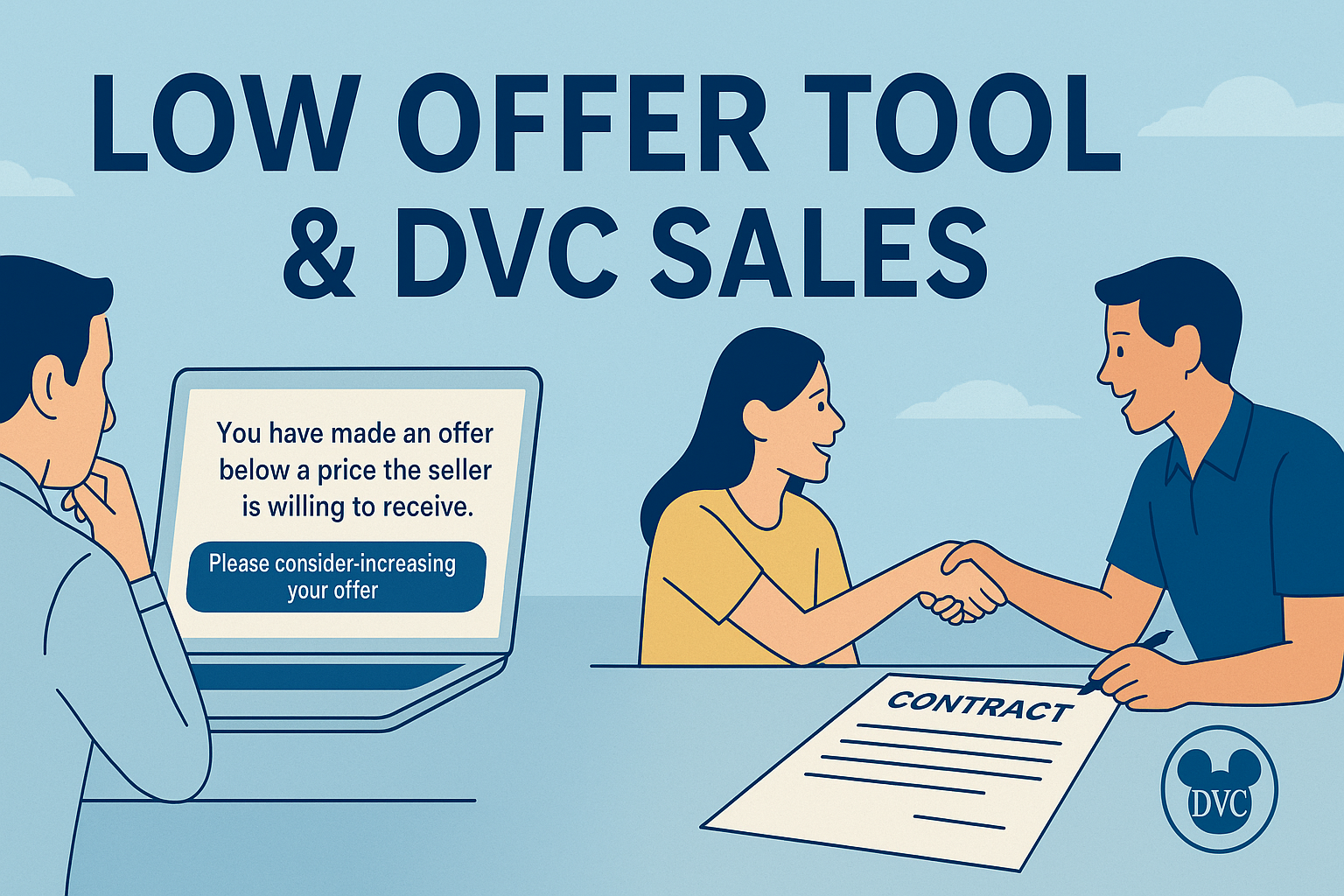
Setting a minimum doesn't mean you're agreeing to accept that amount. Instead, it signals that you're open to offers at or above the threshold you've established. If a buyer attempts to make an offer below your floor, they'll immediately see a message such as:
"You have made an offer below a price the seller is willing to receive. Please consider increasing your offer."
This automated response communicates your expectations upfront and reduces wasted time for both parties. It also encourages buyers to reconsider their offer and potentially return with a stronger one that falls within your acceptable range.
From a buyer's perspective, this clarity can actually be helpful. Instead of wondering whether their lowball offer will be taken seriously, they immediately understand your parameters and can adjust accordingly if they're genuinely interested in your contract.
Tracking Blocked Offers
The tool also gives you visibility into blocked activity. On your Profile page, Section G, you can view a record of any offers that were blocked. Each record includes the buyer's ID number and the offer amount.
While no personal details are shared, this log helps you see patterns in buyer interest. You might notice that multiple buyers are offering amounts just below your minimum, which could signal that your floor is set slightly too high for current market conditions. Or you might see that blocked offers are significantly below your minimum, confirming that your threshold is appropriately set.
This feature creates additional transparency and helps you monitor overall interest in your contract. If you're seeing a lot of blocked activity at a certain price point, it might be worth discussing with your broker whether an adjustment makes sense.
Guidance on Setting the Right Floor
Some sellers wonder how low is too low or what figure makes the most sense for their situation. If you're unsure, the team at DVC Sales can help recommend a range based on real-time market conditions.
We review factors such as your contract size, use year, resort popularity, and how your listing compares to similar contracts in the DVC resale listings. Our market expertise helps you set a minimum that keeps buyers interested while still protecting your bottom line.
For example, if you own a smaller contract at a popular resort like Bay Lake Tower, you might be able to set a higher floor because demand is strong. But if you're selling a larger contract at a resort with more inventory on the market, you might need a more conservative approach to attract serious buyers.
The key is finding the sweet spot where you're protecting yourself from offers that are genuinely too low while not setting the bar so high that you discourage legitimate buyers who might be willing to negotiate upward from a reasonable starting point.
Understanding Market Dynamics
The effectiveness of your minimum offer setting depends largely on current market conditions for your specific resort and contract type. DVC resale prices fluctuate based on factors like Disney's current direct retail prices, seasonal demand, and the overall inventory of contracts available for resale.
During busy selling seasons, you might be able to set a higher minimum because competition among buyers is stronger. Conversely, during slower periods, a more flexible approach might serve you better. Your DVC Sales broker can provide insights into these market trends and help you adjust your strategy accordingly.
It's also worth considering your timeline. If you need to sell quickly for personal reasons, you might set a lower floor to encourage more activity. If you have the luxury of time, you can afford to be more selective and potentially hold out for better offers.
Benefits of Using the Low Offer Tool
When used correctly, the Low Offer Tool provides several advantages:
Saves time by eliminating unqualified offers that waste everyone's effort
Protects your contract's value by discouraging lowball buyers
Creates clearer communication with serious buyers from the start
Provides visibility into blocked activity, which helps track potential buyer interest
Gives you more control over the negotiation process
Reduces emotional stress by avoiding disappointingly low offers
For sellers, this tool is a way to set boundaries while keeping the door open for meaningful offers. It helps ensure that negotiations start from a point that makes sense, streamlining the path to closing.
The psychological benefit shouldn't be underestimated either. Receiving very low offers can be frustrating and might tempt you to accept less than your contract is worth just to be done with the process. By filtering out these offers automatically, you can focus on legitimate negotiations without the emotional drain of dealing with unrealistic proposals.
Common Mistakes to Avoid
While the Low Offer Tool is straightforward to use, there are a few common pitfalls to be aware of. Setting your minimum too high can discourage legitimate buyers who might have been willing to negotiate upward from a slightly lower starting point. The goal isn't to set your floor at your ideal selling price, but rather at the lowest amount you'd seriously consider.
Another mistake is forgetting to adjust your minimum as market conditions change. What made sense when you first listed your contract might not be appropriate three months later. Regular check-ins with your broker can help you stay current with market trends and adjust your strategy as needed.
Some sellers also make the mistake of setting their minimum too low, essentially defeating the purpose of the tool. If you set your floor at a price that's genuinely too low for your contract's value, you might attract offers that you'll end up rejecting anyway, which brings you right back to the time-wasting scenario you were trying to avoid.
Working with Your Broker
The Low Offer Tool works best when combined with professional guidance. Your DVC Sales broker has access to current market data, recent sale prices for comparable contracts, and insights into buyer behavior patterns that can inform your minimum offer strategy.
We can also help you understand the broader context of your listing. For instance, if you're selling during a period when Disney has announced significant annual dues increases, that might affect buyer behavior and influence where you set your floor.
Regular communication with your broker ensures that your Low Offer Tool settings remain aligned with your selling goals and current market realities. We're here to help you make informed decisions that protect your interests while keeping your listing competitive.
Next Steps in Selling Your Membership
If you're preparing to list your membership and want to make the most of this feature, start by reviewing your pricing strategy with your broker. You might also want to explore our cost to sell DVC page to understand all the expenses involved in the process, or check out our market report for current trends.
For direct assistance with setting up your Low Offer Tool or discussing your overall selling strategy, you can reach out through our contact page to connect with an experienced team member.
The Low Offer Tool is just one of many ways to keep your selling experience efficient and profitable. By setting smart parameters and working with experienced guidance, you can protect your investment while attracting qualified buyers who are ready to move forward with a serious offer.
Remember, the goal isn't to make the selling process more complicated, but rather to make it more focused and productive. When both you and potential buyers have clear expectations from the start, everyone benefits from a smoother, more professional transaction experience.






Got Something on Your Mind?
Your email address will not be published. Required fields are marked *